


Blue Letter Bible
4.66.13K Reviews
App Specs
- Version
- 1.87.00 build 2098
- Updated On
- License
- Free
- Downloads
- 1,000,000+
- Developer
- Blue Letter Bible
- Categories
- Books & Reference
- Platform
- Android, iOS
Screenshots
 Analysis by AppCompare
When I study a Bible passage on a phone, I often want more than the text itself: I want to check a word, follow a cross-reference, or see how a commentary approaches the same verse. Blue Letter Bible is built around that kind of close reading. Rather than keeping the Bible and study aids in separate places, it puts tools beside the passage that prompts the question. That makes it useful when I want to pause over one line instead of simply reading a chapter and moving on.
It is a free Books & Reference app from Blue Letter Bible, with an Everyone content rating. Its average rating is 4.6 from around 19,000 ratings, and it has over one million installs. The current version is 1.86.36 build 2086, and it runs on Android 8.0 or later. Those details give a quick sense of the app’s reach, but the real draw is the way it connects Bible reading with research tools.
Study tools that stay close to the verse
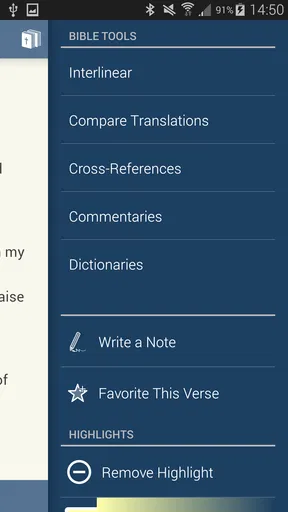
The central strength is the link between the Bible reader and its study resources. I can start with a verse, then use the surrounding tools to investigate its wording or context without treating each resource as an unrelated destination. Commentaries, dictionaries, and concordances make that shift from reading to study feel natural: the verse remains the focus while I look for another angle on it.
This is especially useful when I have a specific question. If a phrase feels unclear, I can move from the text toward a dictionary or commentary; if I want to trace a word or theme, a concordance gives me a route to follow. The benefit is not that one tap settles every interpretation. It is that the app gives me a practical starting point for comparing material and asking better questions.
How I would use it in a real study session
For example, I might read a short passage during a lunch break and mark a phrase that seems important. Instead of opening a browser and searching broadly, I can use the verse as my anchor, check related study material, and jot down a thought in the app. Later, I can return to that note and pick up the thread. That small routine is where the app feels more like a study workspace than a digital book.
I would keep a session focused rather than opening every resource at once. A helpful approach is to read the whole passage first, choose one question, and then consult just the tool that addresses it. That keeps the study from turning into a long chain of tabs and lets the Bible text remain in view as the main reference point.
Reading comfort and useful habits
Font controls and dark mode help make longer reading sessions more comfortable. I appreciate being able to adjust the display to suit the room and my eyes instead of forcing myself to use one fixed layout. Audio is another option when reading is inconvenient; it can suit a commute, a walk, or a quiet moment when I would rather listen than stare at a screen.
Worth Reading Before You Choose

EA SPORTS FC Mobile 26 Is a Bigger Football Game, but It Takes Time

Flipboard Shows What News Apps Must Do Beyond the Feed

Switching to Android Auto Means Rethinking Your Driving Routine

Google Calendar Makes a Crowded Week Easier to Manage

Ludo King Makes the Most of the Minutes Between Plans

Baby Panda World Brings Quick Play to Modern Phones, but Its Game Library Feels Busy
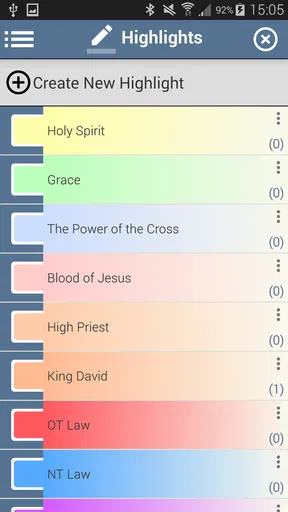
Notes and highlights are useful for building a record of what caught my attention. I would use them selectively: a short observation or question is easier to revisit than a page full of unfiltered annotations. Creating an account lets those notes and highlights be saved, which is worthwhile if I expect to return to them as part of an ongoing study habit.
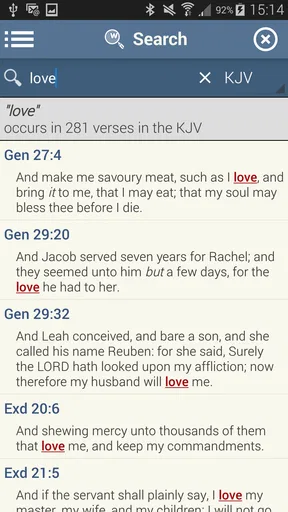
The search function also changes how I approach a question. Rather than relying on memory to find a verse, I can search for a word or phrase and use the results as a path back into the text. For a study group, preparing a short discussion, or checking where a familiar expression appears, that is often faster than flipping through chapters manually.
Offline reading and practical limits
Offline access is valuable when a connection is unreliable, such as during travel or in a building with poor reception. I would still prepare before heading out by opening the passage I plan to read and making sure the material I need is available. Offline use is most helpful as a way to keep a reading routine going, not as a reason to assume every research resource will behave exactly as it does online.
There is a trade-off to having a lot of study material close at hand: it can make the app feel more involved than a simple reader. Someone who only wants to open a passage quickly may find the extra layers distracting, while a newcomer to Bible study may need time to learn which resource answers which kind of question. I would begin with one tool at a time rather than trying to explore the whole library in a single sitting.
Getting Started: Your First Impressions
So, let’s talk first impressions. The installation was smooth and quick, which is always a win in my book. As soon as you open Blue Letter Bible, you’re greeted by a clean and intuitive interface. It’s not cluttered, and everything seems to be where you’d expect it. It’s like the app is saying, “Hey, let’s make this easy for you.”
Exploring the Features
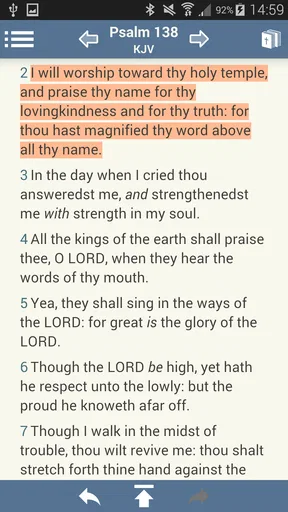
Now, onto the features. This app is a treasure trove of resources. You’ve got your standard Bible text, but it also includes a plethora of study tools. There are commentaries, dictionaries, and even concordances. The interface makes it super easy to switch between these tools, so you’re not feeling lost in a sea of information.
I was particularly impressed with the audio Bible feature. It’s perfect for those times when you want to listen rather than read. The narrations are clear and engaging. It’s like having story time for grown-ups.
Customization and User Experience
Customization is key, and Blue Letter Bible doesn’t disappoint. You can change the font size and style, making it easier on the eyes during those late-night study sessions. Plus, there’s a dark mode, which is always a bonus for night owls like me.
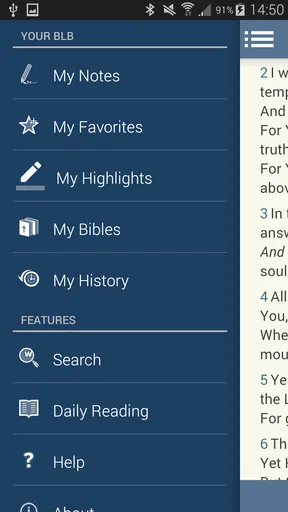
The app also allows you to create an account to save your notes and highlights. This is fantastic for keeping track of your thoughts and insights as you study. It’s like having a digital notebook that goes wherever you do.
Performance and Accessibility
Performance-wise, the app runs smoothly without any hiccups. I didn’t experience any crashes, which is always a relief. It’s also accessible offline, so no worries about losing your place when you’re out of range.
One standout feature is the search function. It’s incredibly powerful and allows you to find verses, keywords, or phrases in an instant. This is perfect for those moments when you need to recall a specific passage on the fly.
Why You Might Love It
If you’re someone who loves diving deep into biblical studies or just wants an easy way to access the Bible on your phone, this app is a must-have. It’s like carrying a biblical library in your pocket, without the bulk.
One of the things I really love about this app is its community-driven feel. It’s not just about reading the Bible; it’s about understanding it and connecting with others who are on the same journey.
Final Thoughts
In conclusion, Blue Letter Bible is not just an app; it’s a companion for anyone seeking to deepen their understanding of the Bible. Whether you’re a seasoned theologian or someone just beginning your spiritual journey, this app has something for everyone.
So, if you’re ready to take your Bible study to the next level, give this app a try. It’s like having a little piece of divine wisdom at your fingertips, anytime you need it.
Happy studying, and may your journey be enlightening!
Pros
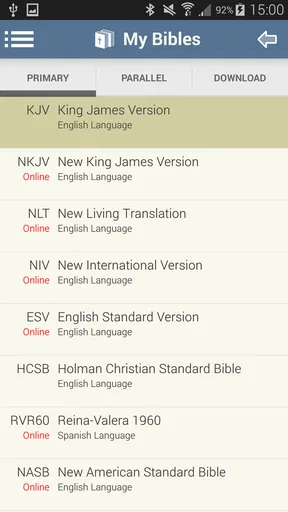
- Comprehensive collection of Bible translations.
- Offline access for study on the go.
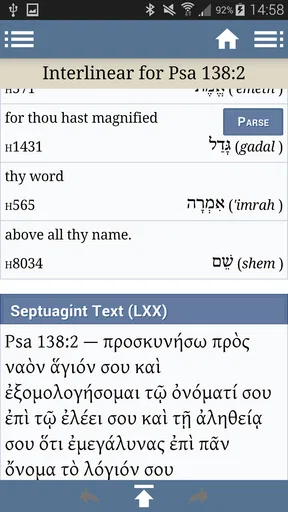
- Integrated Greek and Hebrew lexicon.
- User-friendly interface with intuitive navigation.
- Customizable reading plans and notes.
Cons
- Interface may feel outdated to some users.
- Limited audio Bible options available.
- Ads can be distracting in free version.
- Occasional bugs in search feature.
- No social sharing options for verses.
FAQs for Blue Letter Bible
What is Blue Letter Bible and what features does it offer?
Blue Letter Bible is a comprehensive Bible study app that provides users with a wide range of resources, including multiple Bible translations, commentaries, dictionaries, and concordances. It also offers tools for in-depth study, such as Strong's Concordance, word searches, and cross-references. The app is designed to assist users in understanding biblical texts more deeply.
Is Blue Letter Bible free to use or are there any in-app purchases?
Blue Letter Bible is free to download and use, with no mandatory in-app purchases. However, some additional features or resources may be available for purchase to enhance the study experience. The free version offers extensive resources that are sufficient for most users' needs, making it accessible for anyone interested in Bible study.
How user-friendly is the Blue Letter Bible app for beginners?
The app is designed with an intuitive interface that caters to both beginners and experienced users. It includes tutorials and guides to help new users navigate its features effectively. While it offers complex tools for deep study, the design ensures that anyone can easily access and understand its basic functionalities without feeling overwhelmed.
Can I use Blue Letter Bible offline, and how does this feature benefit users?
Yes, Blue Letter Bible allows users to download various translations and resources for offline access. This is particularly beneficial for users who may not always have internet connectivity, enabling them to continue their study without interruption. Offline access ensures that users can engage with the app’s resources anytime, anywhere.
Does Blue Letter Bible support note-taking and bookmarking?
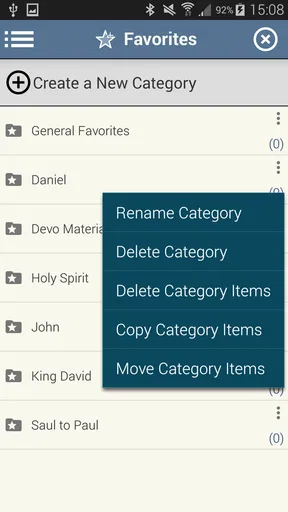
Absolutely, Blue Letter Bible includes features for note-taking and bookmarking, allowing users to personalize their study experience. Users can save their favorite verses, make notes directly in the app, and organize their study material for easy access. This functionality enhances the app's utility as a comprehensive Bible study tool.


